
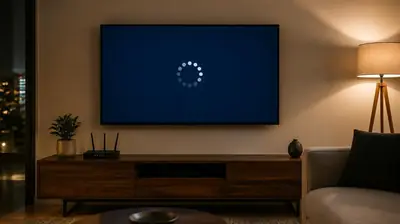
Buffering in Xuper TV APK for Android is a delivery problem, not a broken app, in the large majority of cases. The stream needs a steady flow of data; anything that interrupts that flow shows up as the spinning wheel. Work through these fixes in order, testing playback for a minute after each one.
Fix 1: Drop one quality level
Open the player settings during playback and step down from 1080p to 720p. On a phone screen the difference is barely visible, and the bandwidth requirement drops dramatically. In the latest build, the automatic quality fallback often does this for you, but setting it manually is faster.
Fix 2: Switch to Wi-Fi or 5 GHz
Mobile data fluctuates; Wi-Fi is steadier. If you are already on Wi-Fi, move to the 5 GHz band or closer to the router. A speed test that shows big swings between tests is the telltale sign of this cause.
Fix 3: Close background apps
Other apps syncing, updating or streaming in the background steal bandwidth and RAM. Close everything else, especially on TV sticks with limited memory, then restart the app.
Fix 4: Clear the app cache
Settings, Apps, Xuper TV, Storage, Clear cache. A corrupt cache can make the player re-request data it should already have, which looks exactly like buffering.
Fix 5: Try a different lane or time
If live TV buffers but movies play fine, the live servers are congested, not your connection. Try again in 30 minutes or switch to on-demand content for the evening.
Fix 6: Restart your router
Unplug it for 30 seconds. Stale router states cause exactly this kind of intermittent stalling, and a reboot is the fastest reset.
Fix 7: Update the app
Make sure you are on the latest build from our download page. The current build’s playback pipeline and automatic fallback are meaningfully better than older builds at riding out weak connections.
If none of this helps, the problem may be device-specific; the broader not working guide covers the remaining causes.