
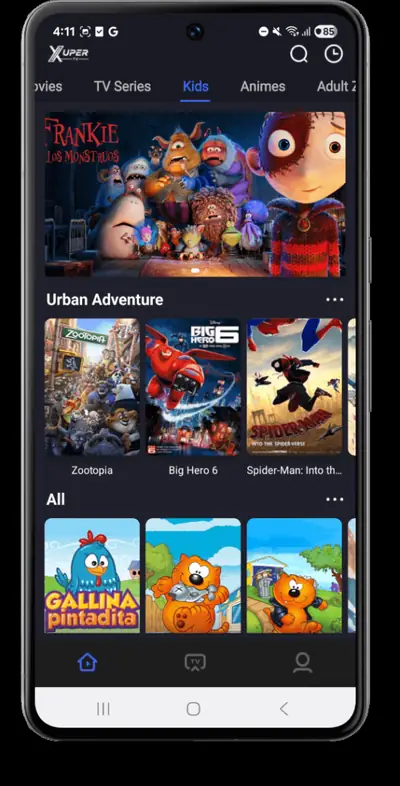
XuperTV’s kids lane is a dedicated, separated section with cartoons and family shows, and it is one of the app’s best features for households. Young viewers stay inside age-appropriate content instead of wandering the full library, and parents get a single place to point the remote.
How the kids lane works
The kids section is its own lane on the home screen with a brighter, simpler layout: big tiles, cartoon-first artwork and no live channels mixed in. Tapping into it keeps browsing inside the kids catalog, so a child scrolling for something to watch never lands on a movie poster meant for adults.
What is inside
Expect animated series, family movies and kids’ shows, refreshed along with the rest of the catalog. The latest build fixed a content-filter bug that had blanked the kids lane for some users on the previous version, so if the section ever looked empty, updating from our download page resolves it.
Practical tips for parents
Hand over the app with the kids lane already open; the simple layout means even young children can browse by picture. For longer sessions on the television, the Android TV setup guide gets the big tiles onto the big screen where they belong. And as with any screen time, the usual household rules about duration still apply; the app does not include a built-in timer.
Why it matters
Most free streaming apps dump everything into one pile and call it a day. A separated kids lane is a deliberate design choice, and in our testing it is the feature parents mention first when we ask what kept the app installed. Read the full review on the homepage for how the rest of the app compares.